Unreal Engine 5 · Blueprint → C++
Get Player Controller in Unreal Engine 5 C++
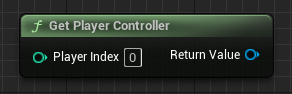
Get Player Controller maps to UGameplayStatics::GetPlayerController(this, 0) in C++, returning an APlayerController* for the given player index.
Blueprint node & C++ equivalent
#include "Kismet/GameplayStatics.h"

APlayerController* PlayerController = UGameplayStatics::GetPlayerController(this, 0);
The C++ equivalent
Include Kismet/GameplayStatics.h and call UGameplayStatics::GetPlayerController(this, 0). The first argument is a world context object and the second is the zero-based player index. In a single-player game, index 0 is the local player.
How to use it in C++
Store the result in an APlayerController* pointer. Always null-check the return value before dereferencing it, since the controller may not exist yet during early initialization. From the controller you can reach the pawn, HUD, input, and player camera manager.
Frequently asked questions
How do I get the player controller in UE5 C++?+
Call UGameplayStatics::GetPlayerController(this, 0) after including Kismet/GameplayStatics.h. It returns an APlayerController* for player index 0.
What does the second argument to GetPlayerController do?+
It is the player index. Use 0 for the first or only local player; higher indices target additional local split-screen players.