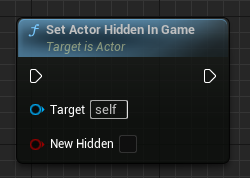
Branch
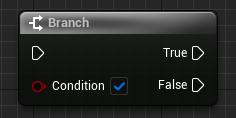
C++
bool ExampleCondition;

if (ExampleCondition)
{
	// True...
}
else
{
	// False...
}A fast, searchable cheatsheet of 190 essential Unreal Engine 5 blueprint nodes and their C++ equivalents. Search, copy, ship.
Core set by Marco Henning (MIT); additional nodes authored from the Unreal Engine documentation. Presented by Göktuğ Ülvan (Gus).
bool ExampleCondition;
if (ExampleCondition)
{
// True...
}
else
{
// False...
}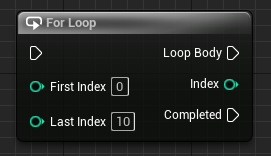
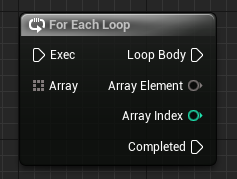
for (int32 i = 0; i <= 10; i++)
{
	// Loop Body...
}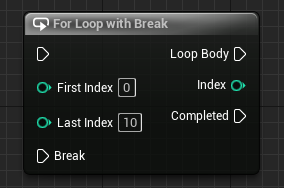
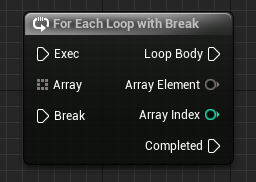
bool ExampleBreakCondition;

for (int32 i = 0; i <= 10; i++)
{
	if (ExampleBreakCondition) { break; }
	// Loop Body...
}
TArray<int32> ExampleArray;

for (int32 Element : ExampleArray)
{
	// Loop Body...
}
TArray<int32> ExampleArray;

bool ExampleBreakCondition;

for (int32 Element : ExampleArray)
{
	if (ExampleBreakCondition) { break; }
	// Loop Body...
}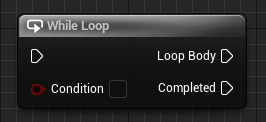
bool ExampleCondition;

while (ExampleCondition)
{
	// Loop Body...
}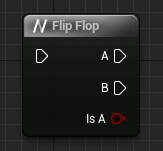
private:
bool IsA = true;if (IsA)
{
// A...
}
else
{
// B...
}
IsA = !IsA;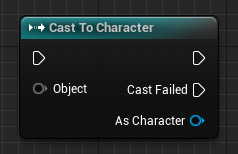
AActor* ExampleActor;

// Casting: <> = Type to cast to, () = Object to cast
ACharacter* ExampleCharacter = Cast<ACharacter>(ExampleActor);

if (ExampleCharacter)
{
	// Cast Succeeded...
}
else
{
	// Cast Failed...
}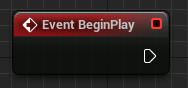
protected:
virtual void BeginPlay() override;void AExampleActor::BeginPlay()
{
Super::BeginPlay();
// Your code here...
}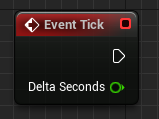
public:
virtual void Tick(float DeltaTime) override;void AExampleActor::Tick(float DeltaTime)
{
Super::Tick(DeltaTime);
// Your code here...
}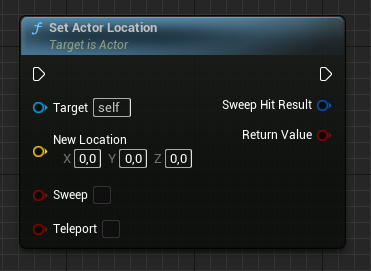
AActor* ExampleActor;

FVector NewLocation;

ExampleActor->SetActorLocation(NewLocation);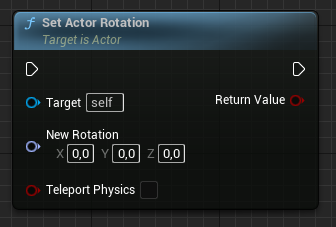
AActor* ExampleActor;

FRotator NewRotation;

// Convert FRotator to FQuat and set actor rotation
ExampleActor->SetActorRotation(FQuat::MakeFromRotator(NewRotation));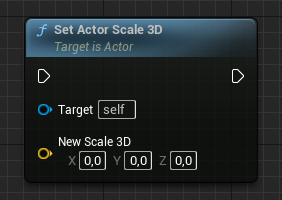
AActor* ExampleActor;

FVector NewScale3D;

ExampleActor->SetActorScale3D(NewScale3D);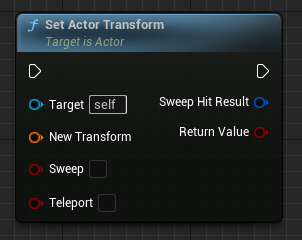
AActor* ExampleActor;

FVector NewLocation;
FRotator NewRotation;
FVector NewScale3D;

// Create FTransform (rotation, location and scale)
FTransform NewTransform(NewRotation, NewLocation, NewScale3D);

ExampleActor->SetActorTransform(NewTransform);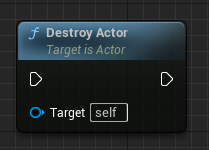
AActor* ExampleActor;

ExampleActor->Destroy();FVector Location = GetActorLocation();
FRotator Rotation = GetActorRotation();FVector Forward = GetActorForwardVector();
FVector Right = GetActorRightVector();
FVector Up = GetActorUpVector();AddActorWorldOffset(FVector(100.f, 0.f, 0.f), /*bSweep=*/true);AddActorLocalOffset(FVector(100.f, 0.f, 0.f), /*bSweep=*/true);float Distance = GetDistanceTo(OtherActor);AActor* Owner = GetOwner();SetLifeSpan(5.0f); // auto-destroy after 5 secondsSetActorTickEnabled(false);SetActorEnableCollision(true);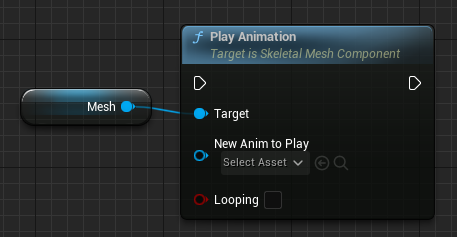
private:
	// The animation asset needs to be set in blueprint
	UPROPERTY(EditAnywhere, meta = (AllowPrivateAccess = "true"))
class UAnimationAsset* ExampleAnimation;USkeletalMeshComponent* ExampleComponent;
if (ExampleAnimation)
{
ExampleComponent->PlayAnimation(
ExampleAnimation, // Animation asset
false // Loop animation?
);
}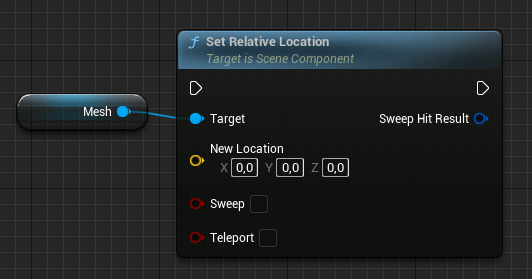
USkeletalMeshComponent* ExampleComponent;

FVector NewLocation;

ExampleComponent->SetRelativeLocation(NewLocation);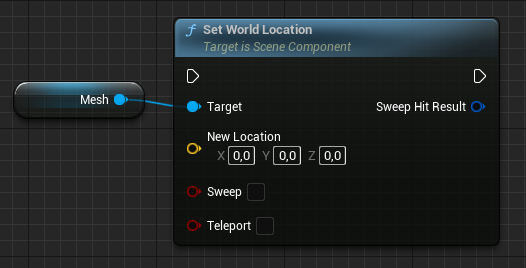
USkeletalMeshComponent* ExampleComponent;

FVector NewLocation;

ExampleComponent->SetWorldLocation(NewLocation);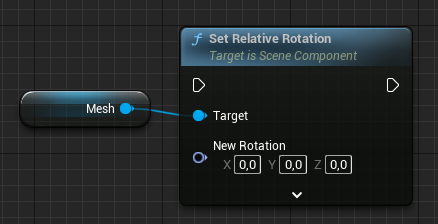
USkeletalMeshComponent* ExampleComponent;

FRotator NewRotation;

// Convert FRotator to FQuat and set relative rotation
ExampleComponent->SetRelativeRotation(FQuat::MakeFromRotator(NewRotation));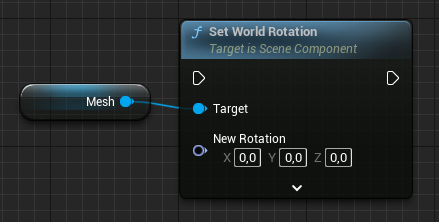
USkeletalMeshComponent* ExampleComponent;

FRotator NewRotation;

// Convert FRotator to FQuat and set world rotation
ExampleComponent->SetWorldRotation(FQuat::MakeFromRotator(NewRotation));// .h
UPROPERTY(VisibleAnywhere)
UStaticMeshComponent* Mesh;
// .cpp constructor
Mesh = CreateDefaultSubobject<UStaticMeshComponent>(TEXT("Mesh"));
RootComponent = Mesh; // or: Mesh->SetupAttachment(RootComponent);UStaticMeshComponent* Mesh = NewObject<UStaticMeshComponent>(this);
Mesh->RegisterComponent();
Mesh->AttachToComponent(RootComponent, FAttachmentTransformRules::KeepRelativeTransform);MyComponent->AttachToComponent(RootComponent,
FAttachmentTransformRules::SnapToTargetNotIncludingScale, TEXT("SocketName"));UStaticMeshComponent* Mesh = FindComponentByClass<UStaticMeshComponent>();MyComponent->SetVisibility(true, /*bPropagateToChildren=*/true);MyMesh->SetMaterial(/*ElementIndex=*/0, MyMaterial);FVector Location = MyComponent->GetComponentLocation();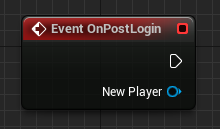
public:
	// This method gets called every time a user logs in
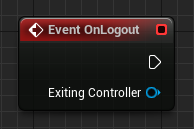
virtual void PostLogin(APlayerController* NewPlayer) override;void ExampleGameMode::PostLogin(APlayerController* NewPlayer)
{
Super::PostLogin(NewPlayer);
// Your code here...
}
public:
	// This method gets called every time a user logs out
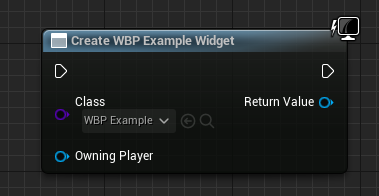
virtual void Logout(AController* Exiting) override;void ExampleGameMode::Logout(AController* Exiting)
{
// Your code here...
}
private:
	// The specific user widget needs to be set in blueprint
	UPROPERTY(EditAnywhere, meta = (AllowPrivateAccess = "true"))
TSubclassOf<UUserWidget> ExampleWidgetClass;#include "Blueprint/UserWidget.h"
if (ExampleWidgetClass)
{
// Create widget
UUserWidget* ExampleWidget = CreateWidget<UUserWidget>(GetWorld(), ExampleWidgetClass);
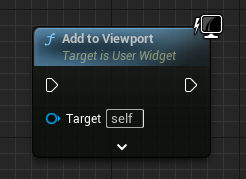
}
#include "Blueprint/UserWidget.h"

UUserWidget* ExampleWidget;

ExampleWidget->AddToViewport();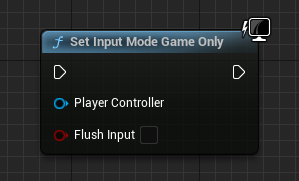
#include "Kismet/GameplayStatics.h"

// Get player controller
APlayerController* PlayerController = UGameplayStatics::GetPlayerController(this, 0);

if (PlayerController)
{
	// Set input mode
	FInputModeGameOnly InputMode;
	PlayerController->SetInputMode(InputMode);
}
#include "Kismet/GameplayStatics.h"

// Get player controller
APlayerController* PlayerController = UGameplayStatics::GetPlayerController(this, 0);

if (PlayerController)
{
	// Set input mode
	FInputModeUIOnly InputMode;
	PlayerController->SetInputMode(InputMode);
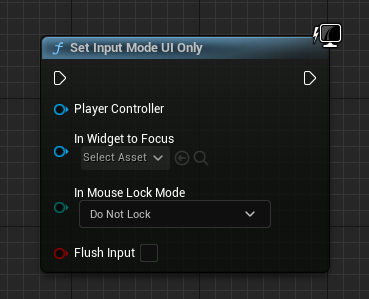
}
#include "Kismet/GameplayStatics.h"

// Get player controller
APlayerController* PlayerController = UGameplayStatics::GetPlayerController(this, 0);

if (PlayerController)
{
	// Set input mode
	FInputModeGameAndUI InputMode;
	PlayerController->SetInputMode(InputMode);
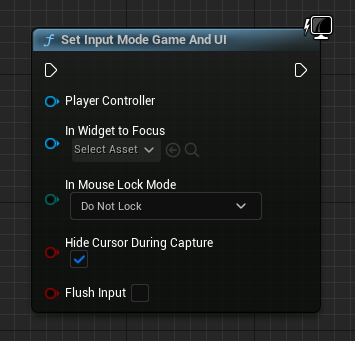
}MyWidget->RemoveFromParent();MyWidget->SetVisibility(ESlateVisibility::Hidden);
// Visible, Collapsed, Hidden, HitTestInvisible, SelfHitTestInvisibleUFUNCTION()
void OnPlayClicked();PlayButton->OnClicked.AddDynamic(this, &UMyWidget::OnPlayClicked);// MyAnim is a UPROPERTY(meta=(BindWidgetAnim)) UWidgetAnimation*
PlayAnimation(MyAnim);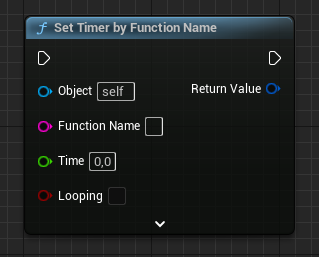
#include "TimerManager.h"

FTimerHandle TimerHandle;

GetWorldTimerManager().SetTimer(
	TimerHandle,                          // Timer handle
	this,                                 // Object to call the timer function on
	&AExampleCharacter::ExampleMethod,    // Method to call the timer function on
	3.0f,                                 // Delay (in seconds)
	false                                 // Loop timer?
);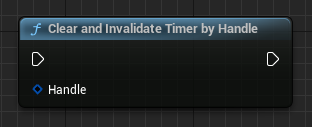
#include "TimerManager.h"

FTimerHandle ExampleTimerHandle;

// Clear and invalidate timer handle
GetWorldTimerManager().ClearTimer(ExampleTimerHandle);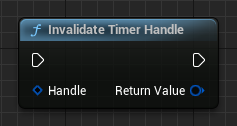
FTimerHandle ExampleTimerHandle;

ExampleTimerHandle.Invalidate();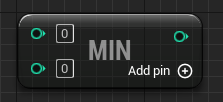
#include "Kismet/KismetMathLibrary.h"

int32 A;
int32 B;

int32 Min = UKismetMathLibrary::Min(A, B);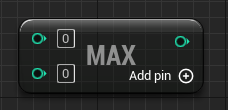
#include "Kismet/KismetMathLibrary.h"

int32 A;
int32 B;

int32 Max = UKismetMathLibrary::Max(A, B);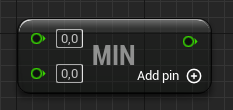
#include "Kismet/KismetMathLibrary.h"

float A;
float B;

float Min = UKismetMathLibrary::FMin(A, B);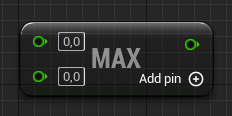
#include "Kismet/KismetMathLibrary.h"

float A;
float B;

float Max = UKismetMathLibrary::FMax(A, B);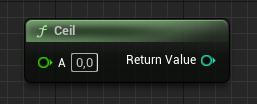
float A;

int32 Result = FMath::CeilToInt(A);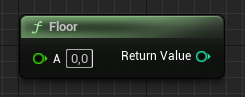
float A;

int32 Result = FMath::FloorToInt(A);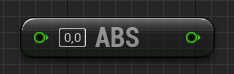
int32 A;
int32 Result1 = FMath::Abs(A);

float B;
float Result2 = FMath::Abs(B);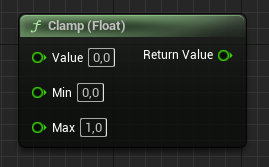
float A;
float Min;
float Max;

float Result = FMath::Clamp(A, Min, Max);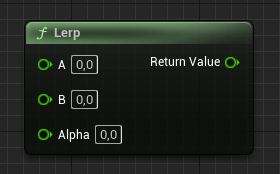
float A;
float B;
float Alpha;

float Result = FMath::Lerp(A, B, Alpha);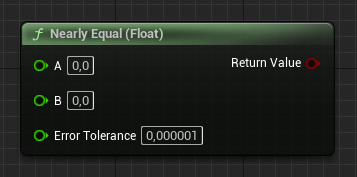
float A;
float B;
float ErrorTolerance;

bool Result = FMath::IsNearlyEqual(A, B, ErrorTolerance);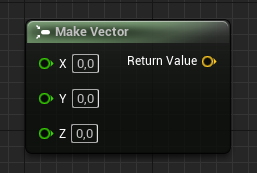
float X;
float Y;
float Z;

FVector ExampleVector(X, Y, Z);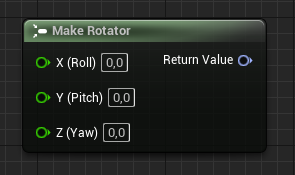
float Pitch;
float Yaw;
float Roll;

FRotator ExampleRotator(Pitch, Yaw, Roll);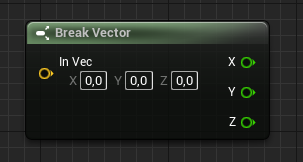
FVector ExampleVector;

ExampleVector.X;     // X
ExampleVector.Y;     // Y
ExampleVector.Z;     // Z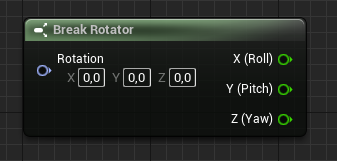
FRotator ExampleRotator;

ExampleRotator.Pitch;    // Pitch
ExampleRotator.Yaw;      // Yaw
ExampleRotator.Roll;     // Roll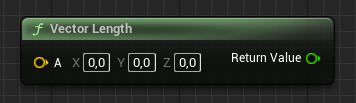
FVector ExampleVector;

ExampleVector.Size();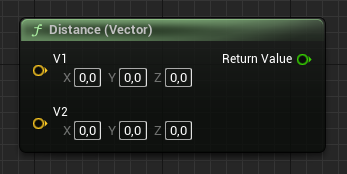
FVector A;
FVector B;

FVector::Distance(A, B);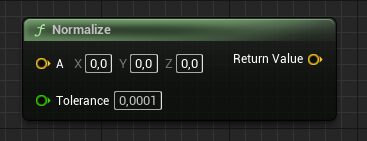
FVector ExampleVector;

float Tolerance;

// Normalizes the vector in-place
ExampleVector.Normalize(Tolerance);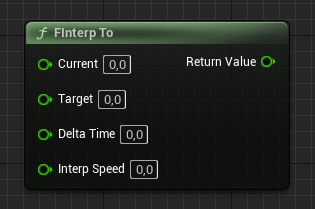
float Current;
float Target;
float DeltaTime;
float InterpSpeed;

float Result = FMath::FInterpTo(Current, Target, DeltaTime, InterpSpeed);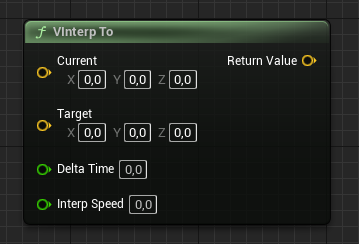
FVector Current;
FVector Target;
float DeltaTime;
float InterpSpeed;

FVector Result = FMath::VInterpTo(Current, Target, DeltaTime, InterpSpeed);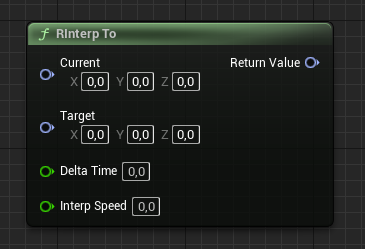
FRotator Current;
FRotator Target;
float DeltaTime;
float InterpSpeed;

FRotator Result = FMath::RInterpTo(Current, Target, DeltaTime, InterpSpeed);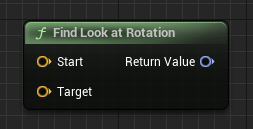
#include "Kismet/KismetMathLibrary.h"

FVector Start;
FVector Target;

FRotator Result = UKismetMathLibrary::FindLookAtRotation(Start, Target);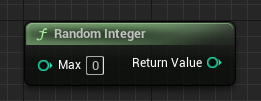
#include "Kismet/KismetMathLibrary.h"

int32 Max;

int32 Result = UKismetMathLibrary::RandomInteger(Max);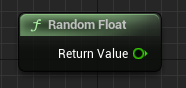
#include "Kismet/KismetMathLibrary.h"

float Result = UKismetMathLibrary::RandomFloat();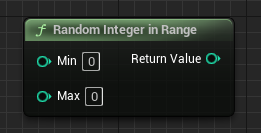
#include "Kismet/KismetMathLibrary.h"

int32 Min;
int32 Max;

int32 Result = UKismetMathLibrary::RandomIntegerInRange(Min, Max);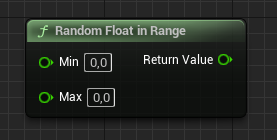
#include "Kismet/KismetMathLibrary.h"

float Min;
float Max;

float Result = UKismetMathLibrary::RandomFloatInRange(Min, Max);float Dot = FVector::DotProduct(A, B); // or A | BFVector Cross = FVector::CrossProduct(A, B); // or A ^ BFVector Forward = Rotation.Vector();
// or per-axis: FRotationMatrix(Rotation).GetUnitAxis(EAxis::Y) for RightFVector Rotated = Rotation.RotateVector(V);
FVector Unrotated = Rotation.UnrotateVector(V);float Out = FMath::GetMappedRangeValueClamped(
FVector2D(InMin, InMax), FVector2D(OutMin, OutMax), Value);float S = FMath::Sin(Radians);
float C = FMath::Cos(Radians);
float T = FMath::Tan(Radians);float S = FMath::Sin(FMath::DegreesToRadians(Degrees));
// Kismet helpers also exist: UKismetMathLibrary::DegSin(Degrees)float Root = FMath::Sqrt(Value);float P = FMath::Pow(Base, Exponent);int32 IntMod = A % B;
float FloatMod = FMath::Fmod(A, B);int32 Rounded = FMath::RoundToInt(Value);
int32 Truncated = FMath::TruncToInt(Value);
int32 Ceiled = FMath::CeilToInt(Value);bool bInRange = (Value >= Min && Value <= Max);
// or: UKismetMathLibrary::InRange_FloatFloat(Value, Min, Max)float Sign = FMath::Sign(Value); // -1, 0, or 1FTransform T(Rotation, Location, Scale);FVector Location = T.GetLocation();
FRotator Rotation = T.GetRotation().Rotator();
FVector Scale = T.GetScale3D();FLinearColor Color(1.0f, 0.5f, 0.0f, 1.0f); // R, G, B, A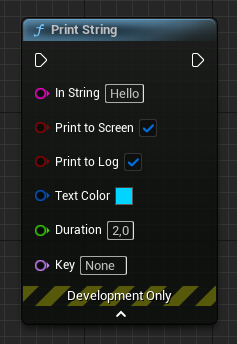
if (GEngine)
{
	GEngine->AddOnScreenDebugMessage(
		-1,                        // Key
		2.0f,                      // Duration
		FColor::Cyan,              // Color
		"Hello"                    // Message
	);
}#include "Kismet/KismetSystemLibrary.h"
UKismetSystemLibrary::PrintString(
this, // World context object
"Hello", // Message
true, // Print to screen?
true, // Print to console?
FLinearColor(0.0f, 0.66f, 1.0f, 1.0f), // Color
2.0f // Duration
);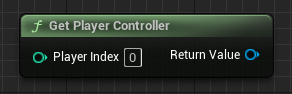
#include "Kismet/GameplayStatics.h"

APlayerController* PlayerController = UGameplayStatics::GetPlayerController(this, 0);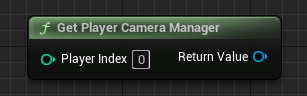
#include "Kismet/GameplayStatics.h"

APlayerCameraManager* PlayerCameraManager = UGameplayStatics::GetPlayerCameraManager(this, 0);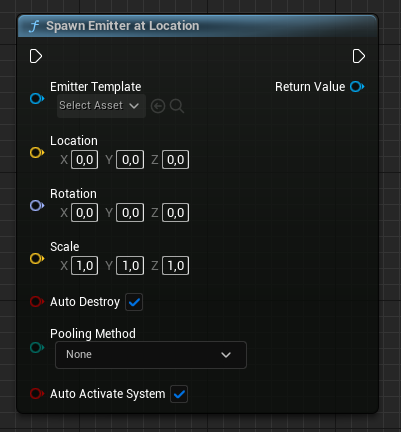
private:
	// The emitter needs to be set in blueprint
	UPROPERTY(EditAnywhere, meta = (AllowPrivateAccess = "true"))
UParticleSystem* ExampleEmitter;#include "Kismet/GameplayStatics.h"
UParticleSystemComponent* SpawnedEmitter;
FTransform SpawnTransform;
if (ExampleEmitter)
{
SpawnedEmitter = UGameplayStatics::SpawnEmitterAtLocation(
GetWorld(), // World object
ExampleEmitter, // Emitter
SpawnTransform // Spawn transform
);
}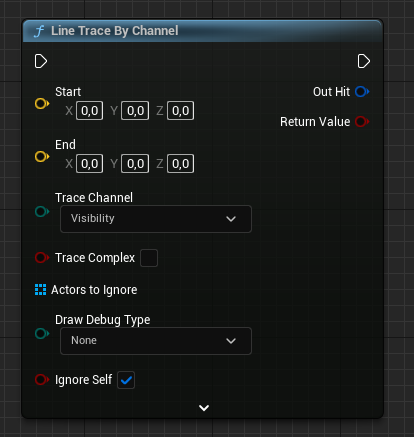
FVector Start;
FVector End;

// Results will be stored here
FHitResult HitResult;

bool bHit = GetWorld()->LineTraceSingleByChannel(
	HitResult,                                   // Hit result
	Start,                                       // Start of the trace
	End,                                         // End of the trace
	ECollisionChannel::ECC_Visibility            // Trace channel
);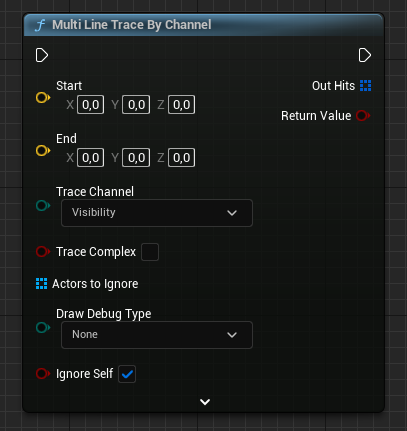
FVector Start;
FVector End;

// Results will be stored here
TArray<FHitResult> HitResults;

bool bHit = GetWorld()->LineTraceMultiByChannel(
	HitResults,                                  // Hit results
	Start,                                       // Start of the trace
	End,                                         // End of the trace
	ECollisionChannel::ECC_Visibility            // Trace channel
);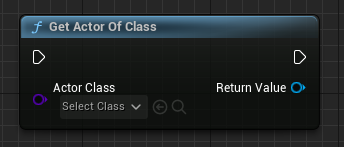
private:
	// The class needs to be set in blueprint
	UPROPERTY(EditAnywhere, meta = (AllowPrivateAccess = "true"))
TSubclassOf<AActor> ActorClass;#include "Kismet/GameplayStatics.h"
// First found actor
AActor* Actor;
if (ActorClass)
{
Actor = UGameplayStatics::GetActorOfClass(
this, // World context object
ActorClass // Actor class
);
}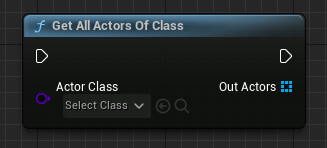
private:
	// The class needs to be set in blueprint
	UPROPERTY(EditAnywhere, meta = (AllowPrivateAccess = "true"))
TSubclassOf<AActor> ActorClass;#include "Kismet/GameplayStatics.h"
// Result will be stored here
TArray<AActor*> Actors;
if (ActorClass)
{
UGameplayStatics::GetAllActorsOfClass(
this, // World context object
ActorClass, // Actor class
Actors // (Output) Result
);
}
#include "Kismet/GameplayStatics.h"

// Result will be stored in this array
TArray<AActor*> Actors;

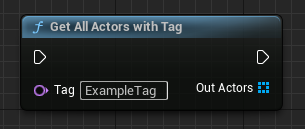
UGameplayStatics::GetAllActorsWithTag(
	this,                           // World context object
	"ExampleTag",                   // Tag name
	Actors                          // (Output) Result
);
private:
	// The actor class needs to be set in blueprint
	UPROPERTY(EditAnywhere, meta = (AllowPrivateAccess = "true"))
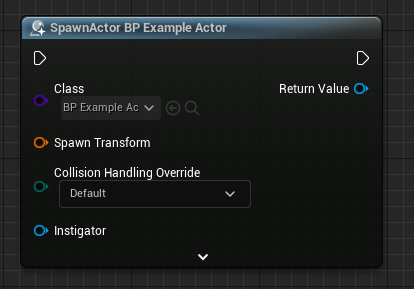
TSubclassOf<AActor> ActorClass;AActor* SpawnedActor;
FVector Location;
FRotator Rotation;
FActorSpawnParameters SpawnParameters;
if (ActorClass)
{
SpawnedActor = GetWorld()->SpawnActor<AActor>(
ActorClass, // Actor class
Location, // Spawn location
Rotation, // Spawn rotation
SpawnParameters // Spawn parameters
);
}
private:
	// The sound needs to be set in blueprint
	UPROPERTY(EditAnywhere, meta = (AllowPrivateAccess = "true"))
USoundBase* ExampleSound;#include "Kismet/GameplayStatics.h"
if (ExampleSound)
{
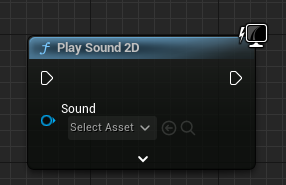
UGameplayStatics::PlaySound2D(
this, // World context object
ExampleSound, // Sound
1.0f, // Volume multiplier
1.0f // Pitch multiplier
);
}
private:
	// The sound needs to be set in blueprint
	UPROPERTY(EditAnywhere, meta = (AllowPrivateAccess = "true"))
USoundBase* ExampleSound;#include "Kismet/GameplayStatics.h"
FVector Location;
if (ExampleSound)
{
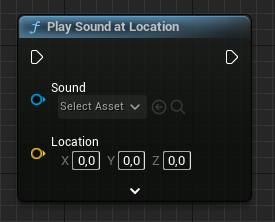
UGameplayStatics::PlaySoundAtLocation(
this, // World context object
ExampleSound, // Sound
Location, // Location
1.0f, // Volume multiplier
1.0f // Pitch multiplier
);
}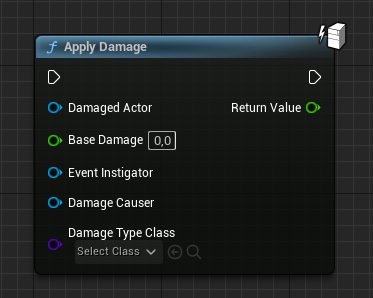
#include "Kismet/GameplayStatics.h"

AController* EventInstigator;
AActor* DamagedActor;
AActor* DamageCauser;

UGameplayStatics::ApplyDamage(
	DamagedActor,                  // Damaged actor
	100.0f,                        // Damage amount
	EventInstigator,               // Instigator
	DamageCauser,                  // Damage causer
	UDamageType::StaticClass()     // Damage type
);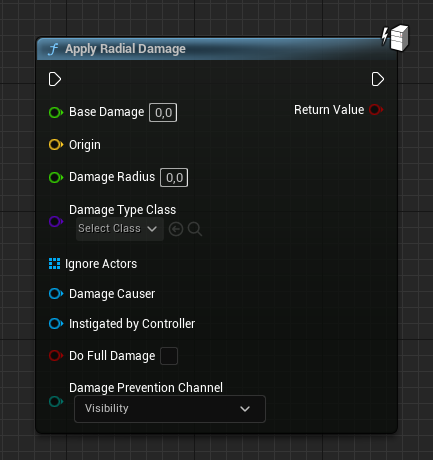
#include "Kismet/GameplayStatics.h"

FVector Origin;
AActor* DamageCauser;
AController* EventInstigator;

UGameplayStatics::ApplyRadialDamage(
	this,                          // World context object
	100.0f,                        // Damage amount
	Origin,                        // Damage location
	200.0f,                        // Damage radius
	UDamageType::StaticClass(),    // Damage type
	TArray<AActor*>(),             // Ignored actors
	DamageCauser,                  // Damage causer
	EventInstigator,               // Instigator
	false                          // Do full damage?
);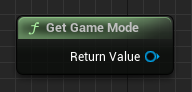
#include "Kismet/GameplayStatics.h"

AGameModeBase* GameMode = UGameplayStatics::GetGameMode(this);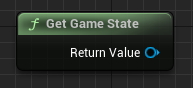
#include "Kismet/GameplayStatics.h"

AGameStateBase* GameState = UGameplayStatics::GetGameState(this);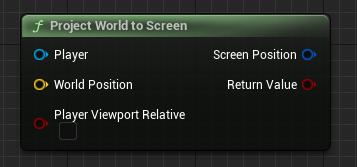
#include "Kismet/GameplayStatics.h"

// Get player controller
APlayerController* PlayerController = UGameplayStatics::GetPlayerController(this, 0);

FVector WorldPosition;

// Result is stored in this vector
FVector2D ScreenPosition;

UGameplayStatics::ProjectWorldToScreen(
	PlayerController,                  // Target player
	WorldPosition,                     // World position
	ScreenPosition,                    // (Output) Screen position
	false                              // Player viewport relative?
);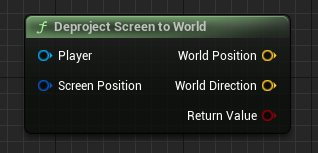
#include "Kismet/GameplayStatics.h"

// Get player controller
APlayerController* PlayerController = UGameplayStatics::GetPlayerController(this, 0);

FVector2D ScreenPosition;

// Result is stored in these vectors
FVector WorldPosition;
FVector WorldDirection;

UGameplayStatics::DeprojectScreenToWorld(
	PlayerController,                  // Target player
	ScreenPosition,                    // Screen position
	WorldPosition,                     // (Output) World position
	WorldDirection                     // (Output) World direction
);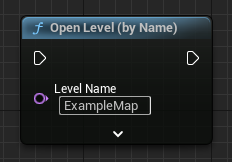
#include "Kismet/GameplayStatics.h"

UGameplayStatics::OpenLevel(
	this,                    // World context object
	"ExampleMap"             // Level name
);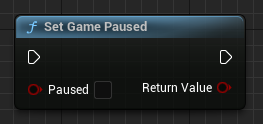
#include "Kismet/GameplayStatics.h"

bool bPaused;

UGameplayStatics::SetGamePaused(this, bPaused);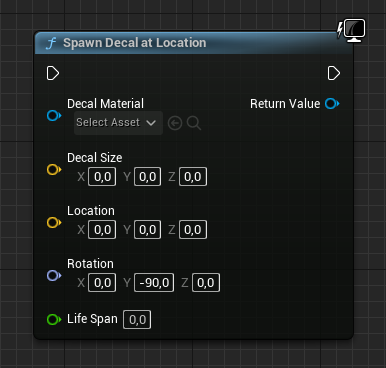
private:
	// The material needs to be set in blueprint
	UPROPERTY(EditAnywhere, meta = (AllowPrivateAccess = "true"))
UMaterialInterface* ExampleMaterial;#include "Kismet/GameplayStatics.h"
UDecalComponent* SpawnedDecal;
FVector Size;
FVector Location;
FRotator Rotation;
if (ExampleMaterial)
{
SpawnedDecal = UGameplayStatics::SpawnDecalAtLocation(
this, // World context object
ExampleMaterial, // Decal material
Size, // Decal size
Location, // Decal location
Rotation, // Decal rotation
0.0f // Life span (0 = infinite)
);
}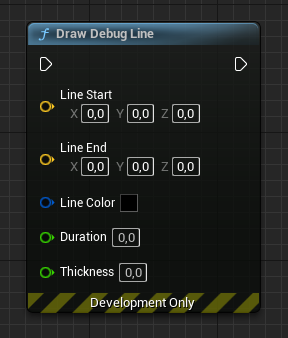
FVector Start;
FVector End;

DrawDebugLine(
	GetWorld(),        // World object
	Start,             // Start of the line
	End,               // End of the line
	FColor::Red,       // Line color
	false,             // Persistent?
	5.0f,              // Duration
	0,                 // Depth priority
	1.0f               // Line thickness
);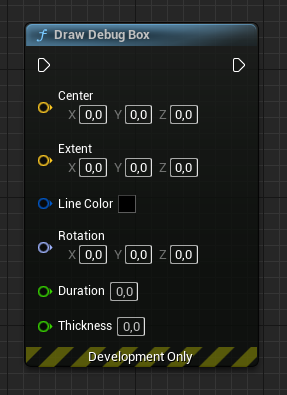
FVector Center;
FVector Extent;

DrawDebugBox(
	GetWorld(),        // World object
	Center,            // Box center
	Extent,            // Box extent
	FColor::Red,       // Box color
	false,             // Persistent?
	5.0f,              // Duration
	0,                 // Depth priority
	1.0f               // Line thickness
);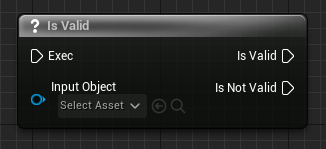
AActor* ExampleActor;

// Check validity
if (ExampleActor)
{
	// Is Valid...
}
else
{
	// Is Not Valid...
}#include "Kismet/KismetSystemLibrary.h"
AActor* ExampleActor;
// Check validity
if (UKismetSystemLibrary::IsValid(ExampleActor))
{
// Is Valid...
}
else
{
// Is Not Valid...
}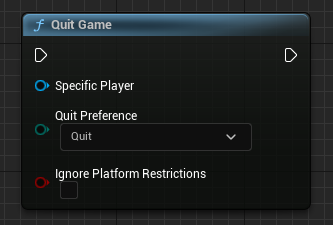
#include "Kismet/GameplayStatics.h"
#include "Kismet/KismetSystemLibrary.h"

// Get player controller
APlayerController* PlayerController = UGameplayStatics::GetPlayerController(this, 0);

// Quit game
UKismetSystemLibrary::QuitGame(
	this,                        // World context object
	PlayerController,            // Quitting player controller
	EQuitPreference::Quit,       // Quit preference
	false                        // Ignore platform restrictions?
);#include "Kismet/KismetSystemLibrary.h"
FHitResult Hit;
bool bHit = UKismetSystemLibrary::SphereTraceSingle(
this, Start, End, /*Radius=*/50.f,
UEngineTypes::ConvertToTraceType(ECC_Visibility), false, {},
EDrawDebugTrace::ForDuration, Hit, true);FHitResult Hit;
FCollisionObjectQueryParams ObjParams;
ObjParams.AddObjectTypesToQuery(ECC_Pawn);
bool bHit = GetWorld()->LineTraceSingleByObjectType(Hit, Start, End, ObjParams);float Time = GetWorld()->GetTimeSeconds();
// or: UGameplayStatics::GetTimeSeconds(this)float Delta = GetWorld()->GetDeltaSeconds();UGameInstance* GI = GetGameInstance();
// or: UGameplayStatics::GetGameInstance(this)UGameplayStatics::SpawnSoundAttached(MySound, MyComponent);UPROPERTY(EditAnywhere, Category="Input")
UInputMappingContext* DefaultMappingContext;#include "EnhancedInputSubsystems.h"
if (APlayerController* PC = Cast<APlayerController>(GetController()))
{
if (UEnhancedInputLocalPlayerSubsystem* Subsystem =
ULocalPlayer::GetSubsystem<UEnhancedInputLocalPlayerSubsystem>(PC->GetLocalPlayer()))
{
Subsystem->AddMappingContext(DefaultMappingContext, /*Priority=*/0);
}
}UPROPERTY(EditAnywhere, Category="Input")
UInputAction* MoveAction;
void Move(const FInputActionValue& Value);#include "EnhancedInputComponent.h"
void AMyCharacter::SetupPlayerInputComponent(UInputComponent* PlayerInputComponent)
{
Super::SetupPlayerInputComponent(PlayerInputComponent);
if (UEnhancedInputComponent* Input = Cast<UEnhancedInputComponent>(PlayerInputComponent))
{
Input->BindAction(MoveAction, ETriggerEvent::Triggered, this, &AMyCharacter::Move);
}
}#include "InputActionValue.h"
void AMyCharacter::Move(const FInputActionValue& Value)
{
// Pick the type that matches the Input Action's Value Type:
FVector2D Axis2D = Value.Get<FVector2D>(); // Axis2D
float Axis1D = Value.Get<float>(); // Axis1D
bool bPressed = Value.Get<bool>(); // Digital (bool)
}// ETriggerEvent values you bind against:
// ETriggerEvent::Started -> press / key down
// ETriggerEvent::Triggered -> while held / fires each tick
// ETriggerEvent::Completed -> release / key up
Input->BindAction(JumpAction, ETriggerEvent::Started, this, &AMyCharacter::StartJump);
Input->BindAction(JumpAction, ETriggerEvent::Completed, this, &AMyCharacter::StopJump);UFUNCTION()
void OnBeginOverlap(UPrimitiveComponent* OverlappedComp, AActor* OtherActor,
UPrimitiveComponent* OtherComp, int32 OtherBodyIndex, bool bFromSweep,
const FHitResult& SweepResult);MyCollision->OnComponentBeginOverlap.AddDynamic(this, &AMyActor::OnBeginOverlap);UFUNCTION()
void OnEndOverlap(UPrimitiveComponent* OverlappedComp, AActor* OtherActor,
UPrimitiveComponent* OtherComp, int32 OtherBodyIndex);MyCollision->OnComponentEndOverlap.AddDynamic(this, &AMyActor::OnEndOverlap);UFUNCTION()
void OnActorOverlap(AActor* OverlappedActor, AActor* OtherActor);OnActorBeginOverlap.AddDynamic(this, &AMyActor::OnActorOverlap);UFUNCTION()
void OnHit(UPrimitiveComponent* HitComp, AActor* OtherActor,
UPrimitiveComponent* OtherComp, FVector NormalImpulse, const FHitResult& Hit);MyMesh->SetNotifyRigidBodyCollision(true);
MyMesh->OnComponentHit.AddDynamic(this, &AMyActor::OnHit);MyComponent->SetCollisionEnabled(ECollisionEnabled::QueryAndPhysics);
// Other values: NoCollision, QueryOnly, PhysicsOnlyMyComponent->SetCollisionResponseToChannel(ECC_Pawn, ECR_Overlap);
// Responses: ECR_Ignore, ECR_Overlap, ECR_BlockTArray<AActor*> OverlappingActors;
MyComponent->GetOverlappingActors(OverlappingActors); // or Actor->GetOverlappingActors(...)MyComponent->SetGenerateOverlapEvents(true);// .h
UFUNCTION(BlueprintCallable, Category="Gameplay")
void DoSomething(int32 Amount);
// .cpp
void AMyActor::DoSomething(int32 Amount) { /* ... */ }// .h — declare the delegate signature, then expose an instance
DECLARE_DYNAMIC_MULTICAST_DELEGATE_OneParam(FOnHealthChanged, int32, NewHealth);
UPROPERTY(BlueprintAssignable, Category="Events")
FOnHealthChanged OnHealthChanged;OnHealthChanged.Broadcast(CurrentHealth);// Target's UFUNCTION handler is bound to its dispatcher:
Target->OnHealthChanged.AddDynamic(this, &AMyActor::HandleHealthChanged);// .h — implemented in Blueprint, called from C++ (no C++ body)
UFUNCTION(BlueprintImplementableEvent, Category="Gameplay")
void OnScored(int32 Points);// .h — default C++ body, overridable in Blueprint
UFUNCTION(BlueprintNativeEvent, Category="Gameplay")
void OnScored(int32 Points);
// .cpp — note the _Implementation suffix
void AMyActor::OnScored_Implementation(int32 Points) { /* default */ }AddMovementInput(GetActorForwardVector(), /*ScaleValue=*/1.0f);Jump(); // ACharacter
StopJumping();AddControllerYawInput(LookAxis.X);
AddControllerPitchInput(LookAxis.Y);FRotator ControlRot = GetControlRotation();
// Yaw-only forward (common for movement):
FRotator YawRot(0.f, ControlRot.Yaw, 0.f);
FVector Forward = FRotationMatrix(YawRot).GetUnitAxis(EAxis::X);LaunchCharacter(FVector(0.f, 0.f, 800.f), /*bXYOverride=*/false, /*bZOverride=*/true);FVector Velocity = GetVelocity();
float Speed = Velocity.Size();#include "GameFramework/CharacterMovementComponent.h"
GetCharacterMovement()->MaxWalkSpeed = 600.f;APawn* Pawn = UGameplayStatics::GetPlayerPawn(this, /*PlayerIndex=*/0);
ACharacter* Char = UGameplayStatics::GetPlayerCharacter(this, 0);// On the server / authority:
MyPlayerController->Possess(MyPawn);// A Sequence is simply consecutive statements:
StepOne();
StepTwo();
StepThree();// .h
bool bHasRun = false;
// .cpp
if (!bHasRun)
{
bHasRun = true;
// runs only once until you reset bHasRun
}// .h
bool bGateOpen = false; // Open()/Close() toggle this
// .cpp
if (bGateOpen)
{
// passes only while the gate is open
}// .h
int32 GateIndex = 0;
// .cpp — route to the next output each call
switch (GateIndex++ % 3)
{
case 0: OutputA(); break;
case 1: OutputB(); break;
case 2: OutputC(); break;
}switch (Value)
{
case 0: /* ... */ break;
case 1: /* ... */ break;
default: /* Default */ break;
}switch (MyEnum)
{
case EMyEnum::A: /* ... */ break;
case EMyEnum::B: /* ... */ break;
}// Blueprint "Select" = ternary
int32 Result = bCondition ? OptionA : OptionB;FString Result = TEXT("Score: ") + FString::FromInt(Score);
Result.Append(TEXT(" pts"));FString S = FString::Printf(TEXT("Player %s scored %d"), *PlayerName, Score);FText T = FText::Format(
NSLOCTEXT("Game", "ScoreFmt", "{0} points"), FText::AsNumber(Score));FString FromInt = FString::FromInt(42);
FString FromFloat = FString::SanitizeFloat(3.14f);
FString FromBool = LexToString(true);int32 AsInt = FCString::Atoi(*MyString);
float AsFloat = FCString::Atof(*MyString);FName Name = TEXT("Head");
FString AsString = Name.ToString();
bool bEqual = (Name == TEXT("Head"));TArray<int32> Numbers;
Numbers.Add(5);
Numbers.Remove(5); // remove by value
Numbers.RemoveAt(0); // remove by indexint32 Count = Numbers.Num();
int32 First = Numbers[0];
int32 Last = Numbers.Last();bool bHas = Numbers.Contains(5);
int32 Index = Numbers.IndexOfByKey(5); // INDEX_NONE if not foundNumbers.Insert(99, /*Index=*/0);
Numbers.Empty();for (int32 Number : Numbers)
{
// ...
}Numbers.Sort(); // ascending
Numbers.Sort([](int32 A, int32 B){ return A > B; }); // customTMap<FString, int32> Scores;
Scores.Add(TEXT("P1"), 10);
if (int32* Found = Scores.Find(TEXT("P1"))) { int32 V = *Found; }
bool bHas = Scores.Contains(TEXT("P1"));TSet<int32> Unique;
Unique.Add(5);
bool bHas = Unique.Contains(5);MyMesh->SetSimulatePhysics(true);MyMesh->AddImpulse(FVector(0.f, 0.f, 50000.f), NAME_None, /*bVelChange=*/false);MyMesh->AddForce(FVector(0.f, 0.f, 100000.f));MyMesh->SetPhysicsLinearVelocity(FVector(0.f, 0.f, 500.f));MyMesh->AddRadialImpulse(Origin, /*Radius=*/300.f, /*Strength=*/1500.f,
ERadialImpulseFalloff::RIF_Linear, /*bVelChange=*/true);UMySaveGame* Save = Cast<UMySaveGame>(
UGameplayStatics::CreateSaveGameObject(UMySaveGame::StaticClass()));UGameplayStatics::SaveGameToSlot(Save, TEXT("Slot1"), /*UserIndex=*/0);UMySaveGame* Save = Cast<UMySaveGame>(
UGameplayStatics::LoadGameFromSlot(TEXT("Slot1"), 0));bool bExists = UGameplayStatics::DoesSaveGameExist(TEXT("Slot1"), 0);UGameplayStatics::DeleteGameInSlot(TEXT("Slot1"), 0);// MyInterface.h
UINTERFACE(MinimalAPI, Blueprintable)
class UMyInterface : public UInterface { GENERATED_BODY() };
class IMyInterface
{
GENERATED_BODY()
public:
UFUNCTION(BlueprintNativeEvent, BlueprintCallable, Category="Interface")
void Interact();
};// .h
class AMyActor : public AActor, public IMyInterface
{
GENERATED_BODY()
virtual void Interact_Implementation() override;
};
// .cpp
void AMyActor::Interact_Implementation() { /* ... */ }if (Target->Implements<UMyInterface>())
{
IMyInterface::Execute_Interact(Target);
}if (HasAuthority())
{
// Server / authority branch
}// .h
UPROPERTY(Replicated)
int32 Health;
// .cpp
#include "Net/UnrealNetwork.h"
void AMyActor::GetLifetimeReplicatedProps(TArray<FLifetimeProperty>& Out) const
{
Super::GetLifetimeReplicatedProps(Out);
DOREPLIFETIME(AMyActor, Health);
}
// constructor: bReplicates = true;// .h
UPROPERTY(ReplicatedUsing=OnRep_Health)
int32 Health;
UFUNCTION()
void OnRep_Health(); // runs on clients when Health changes// .h
UFUNCTION(Server, Reliable)
void ServerFire();
// .cpp
void AMyActor::ServerFire_Implementation() { /* runs on server */ }// .h
UFUNCTION(NetMulticast, Reliable)
void MulticastPlayEffect();
// .cpp
void AMyActor::MulticastPlayEffect_Implementation() { /* runs on all clients */ }// .h
UFUNCTION(Client, Reliable)
void ClientNotify();
// .cpp
void AMyActor::ClientNotify_Implementation() { /* runs on owning client */ }